Recipe — Material Registration (자재 등록)
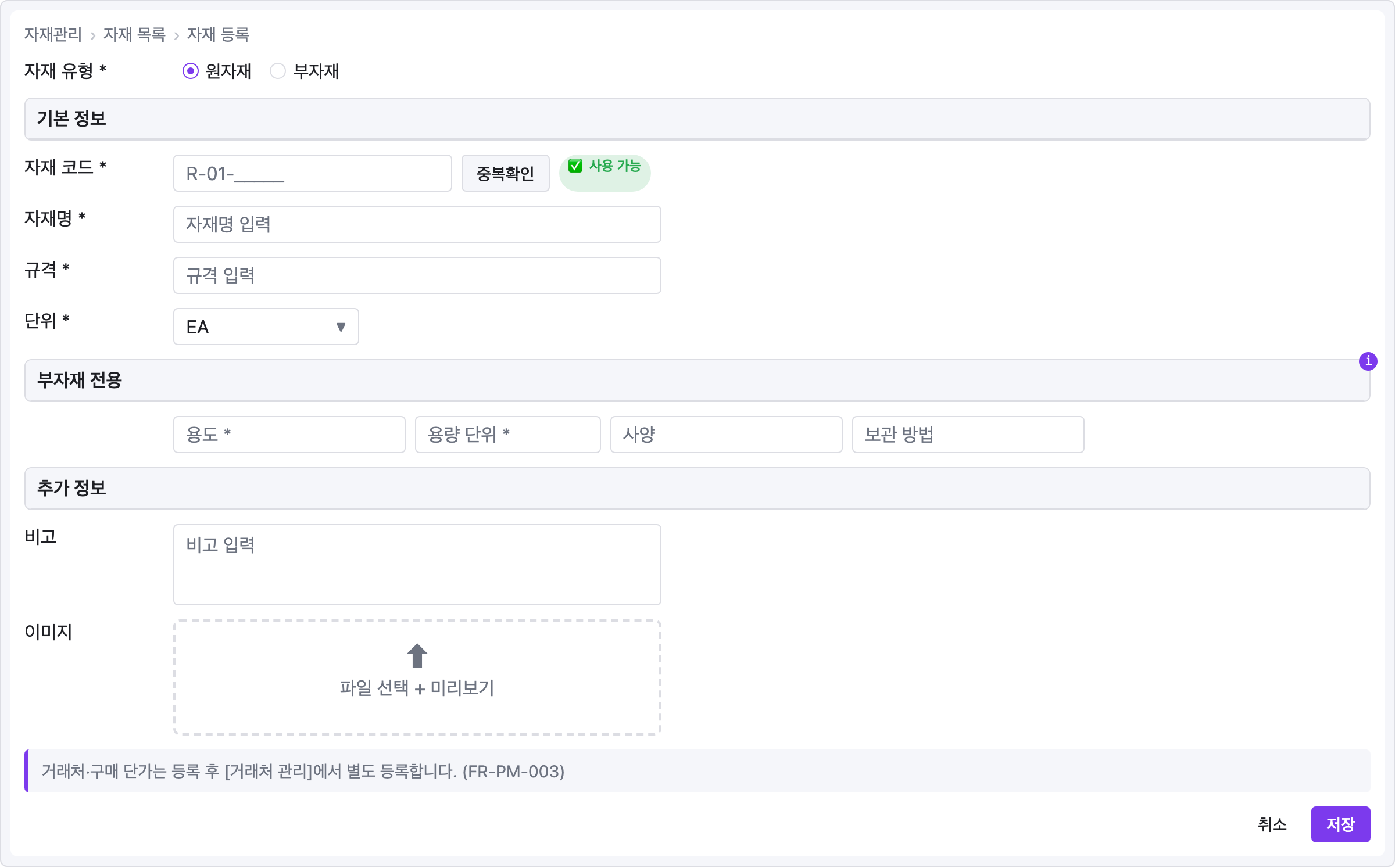
Korean ERP-style registration form with breadcrumb, radio-selected type, multiple sections grouped by panel, a 4-column conditional block, a file upload, and an info alert. Shows non-English labels working natively (text rendering is just textContent).
viewport: desktop
screen:
  - breadcrumb: { items: ["자재관리", "자재 목록", "자재 등록"] }

  - row:
      gap: 16
      align: center
      items:
        - text: { value: "자재 유형 *", w: 120 }
        - radio: { label: "원자재", selected: true }
        - radio: { label: "부자재", selected: false }

  - panel: { header: "기본 정보" }
  - row:
      gap: 8
      align: center
      items:
        - text: { value: "자재 코드 *", w: 120 }
        - input: { placeholder: "R-01-_____", w: 240 }
        - button: { label: "중복확인", variant: secondary }
        - badge: { label: "✅ 사용 가능", variant: success }
  - row:
      gap: 8
      align: center
      items:
        - text: { value: "자재명 *", w: 120 }
        - input: { placeholder: "자재명 입력", w: 420 }
  - row:
      gap: 8
      align: center
      items:
        - text: { value: "규격 *", w: 120 }
        - input: { placeholder: "규격 입력", w: 420 }
  - row:
      gap: 8
      align: center
      items:
        - text: { value: "단위 *", w: 120 }
        - select:
            value: "EA"
            options: ["m", "EA", "kg", "SET"]
            w: 160

  - panel:
      header: "부자재 전용"
      note: "자재 유형 = 부자재 일 때만 활성화"
  - row:
      gap: 8
      items:
        - text: { value: "", w: 120 }
        - input: { placeholder: "용도 *", w: 200 }
        - input: { placeholder: "용량 단위 *", w: 160 }
        - input: { placeholder: "사양", w: 200 }
        - input: { placeholder: "보관 방법", w: 200 }

  - panel: { header: "추가 정보" }
  - row:
      gap: 8
      align: start
      items:
        - text: { value: "비고", w: 120 }
        - textarea: { placeholder: "비고 입력", rows: 3, w: 420 }
  - row:
      gap: 8
      align: start
      items:
        - text: { value: "이미지", w: 120 }
        - file-upload: { label: "파일 선택 + 미리보기", w: 420, h: 100 }

  - alert:
      severity: info
      message: "거래처·구매 단가는 등록 후 [거래처 관리]에서 별도 등록합니다. (FR-PM-003)"

  - row:
      gap: 8
      items:
        - col: { flex: 1, items: [] }
        - button: { label: "취소", variant: ghost }
        - button: { label: "저장", variant: primary }
Pattern notes
This recipe bundles three alignment idioms in one form — the same ones covered in YAML Reference → Alignment idioms:
- Label column preservation — the "부자재 전용" row starts with a dummy
text { value: "", w: 120 }so its inputs line up with the labeled rows above. - Right-aligned buttons — the bottom row uses
col { flex: 1, items: [] }as a flex spacer to push 취소 / 저장 to the right edge. - Section grouping with
panel— every major section ("기본 정보", "부자재 전용", "추가 정보") is opened with apanelheader bar rather than a plainheading, giving the form visual structure at a glance.
The note on the "부자재 전용" panel surfaces a UI condition ("자재 유형 = 부자재 일 때만 활성화") as a hover tooltip instead of cramming it into the header text.